Merchant Collection
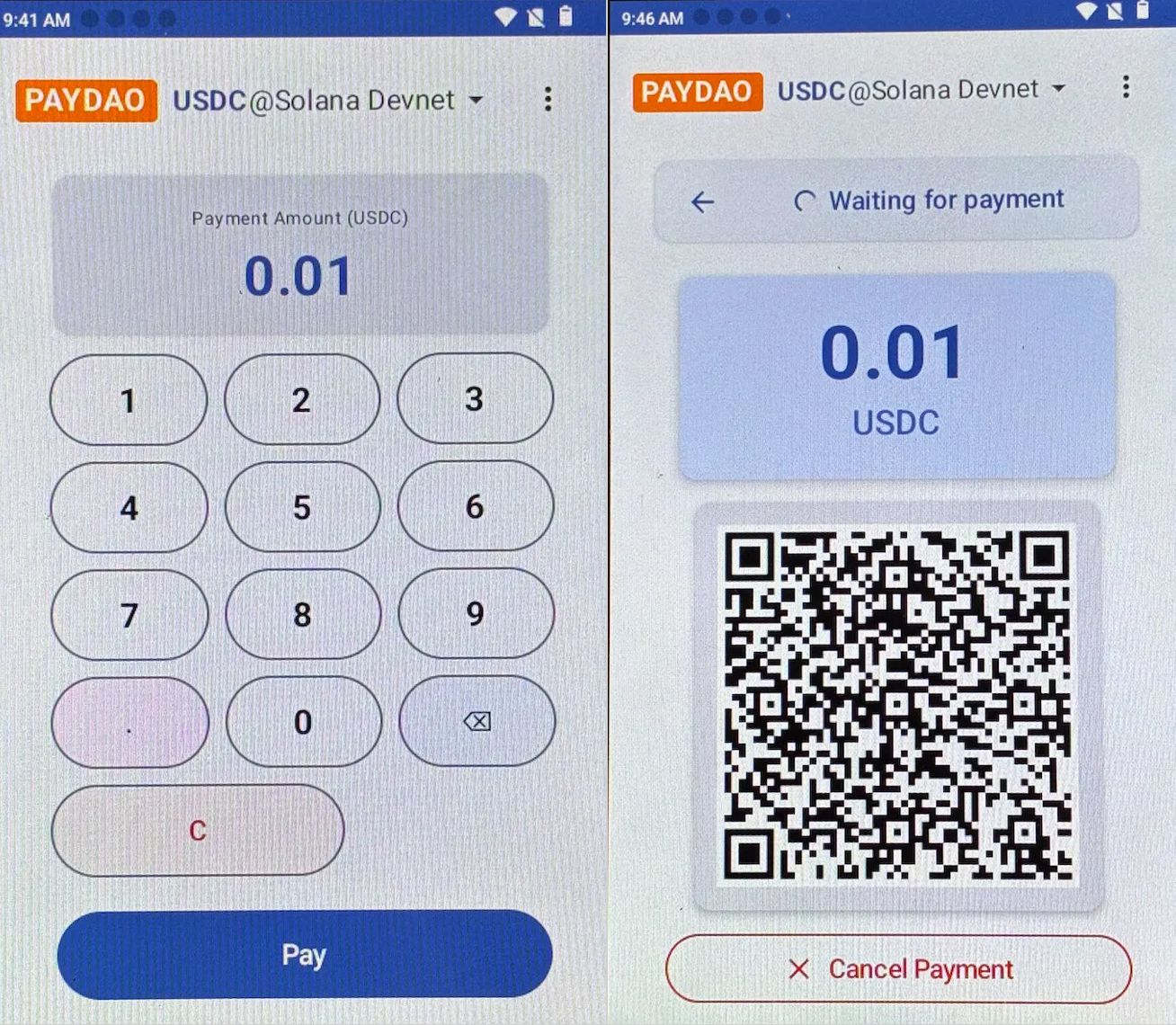
Step 1: Enter Amount
- On the PAYDAO application interface, enter the collection amount (quantity of stablecoins).
- Click the Pay button at the bottom of the page.
Enter the waiting for payment interface.
Step 2: Card Transaction
- Instruct the user to place the payment card near the NFC induction area and hold for 1-2 seconds; do not move it during this process.
- A "beep" sound indicates a successful card read, and the screen will display 「Card signed. You may remove your card now. 」; at this point, the card can be removed.
- Once the transaction is completed and confirmed on the blockchain (typically 1-5 seconds), the screen will display 「Payment Received」 and show the transaction hash.
- The POS Terminal will automatically print a receipt.
Click Back to return to the PAYDAO application interface.
.png)
Note:
*If the blockchain network is congested or the network quality is poor, transaction confirmation may take longer; please wait patiently.